
Spytify records the sound one application sends to your speakers, nothing else, and saves each track it plays as its own file: cut at the right sample, encoded with ffmpeg, and tagged with the title, artist, album and cover the application itself reports.
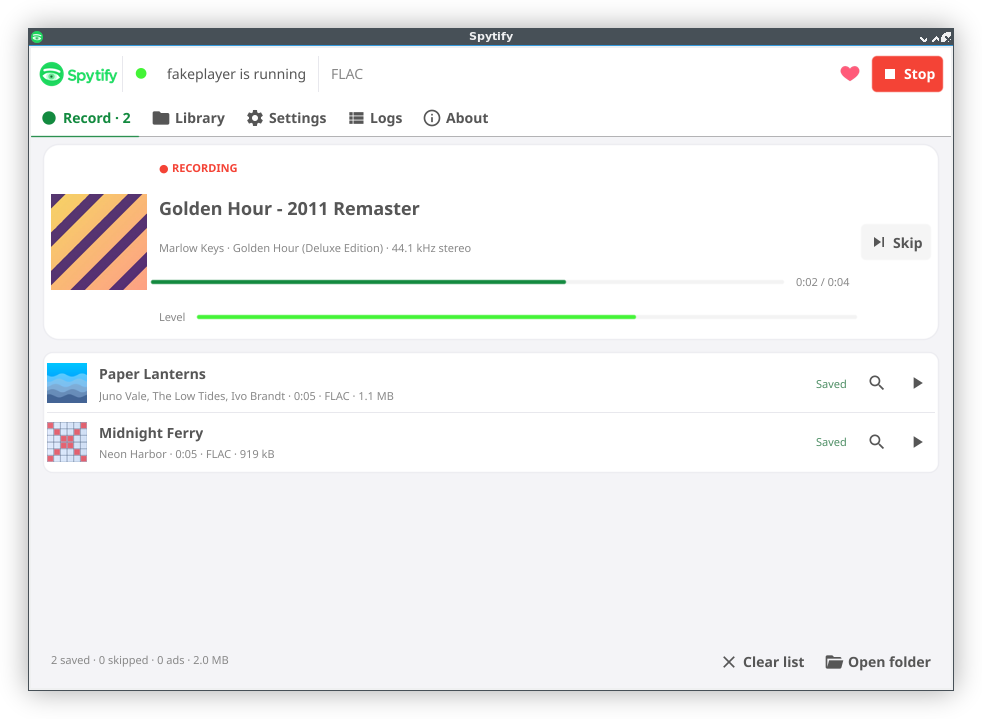
It runs on Linux, macOS 14.2 or later and, as a first build being tested, Windows 10 version 2004 or later. Download it and see Install.
How does it work?
- One application only. Spytify records the chosen application’s own audio stream, so notifications and other apps never end up in a file, and no virtual audio device is needed. On Linux it records the application’s PipeWire stream, on macOS it uses a Core Audio process tap, on Windows WASAPI process loopback.
- Tags from the application. Title, artist, album, track number, length and cover come from what the application reports: MPRIS on Linux, its AppleScript interface on macOS, the Windows media controls on Windows. Nothing is looked up on the web.
- Sample-accurate cuts. A track change notification only says roughly when a track ended. The track’s length gives the expected end, and the quietest 20 ms around it decides the exact sample, so each file holds one whole track and nothing of its neighbours.
- Whole tracks only. A track that was skipped, stopped early, or moved along its track bar is not kept, even when it played for its full length. A track already playing when you press Record is skipped too, unless you choose Record this track from the start. Keep anyway still saves the last one cut short.
- A recorder and a window.
spytifydrecords, and keeps recording while the window is hidden in the tray. The Spytify app andspytify-clidrive it.
Standard use
- Open the application you want to record, and turn off its crossfade and gapless playback: two mixed tracks cannot be separated again.
- Open Spytify and press Record.
- Play music. Each track becomes a file in
~/Music/Spytify, grouped by artist and album; Settings changes the folder, the format and the names. - Press Stop: the track playing finishes first. Stop now stops at once; that track is not saved, unless you press Keep anyway.
The bug tracker sends crash reports and recording counts unless you untick it at the first launch; it never keeps your computer’s name, your user name, your home folder or your IP address. See Privacy.
Coming from Spytify v1? See what changed.